Open WebUI
Open WebUIEnvironment requirementsDocker constructionOfficial installation of DockerInstall Docker on Alibaba CloudOpen WebUI installationOpen WebUI operationAdministrator accountRegister and log inUser interfaceModel dialogueSwitch modelDemo: LLaVAFrequently Asked QuestionsClose Open WebUICommon ErrorsUnable to start Open WebUIService connection timeout
Demo Environment
Development board: Jetson Orin series motherboard
SSD: 128G
Tutorial Applicability
| Motherboard model | Support |
|---|---|
| Jetson Orin NX 16GB | √ |
| Jetson Orin NX 8GB | √ |
| Jetson Orin Nano 8GB | √ |
| Jetson Orin Nano 4GB | √ |
Open WebUI is an open source project that aims to provide an easy-to-use user interface (UI) for managing and monitoring open source software and services.
xxxxxxxxxxWhen using Open WebUI, there is a high probability that the dialogue will be unresponsive or timeout. You can try to restart Open WebUI or switch to the Ollama tool to run the model!
Environment requirements
Host and Conda installation of Open WebUI: Node.js >= 20.10, Python = 3.11:
| Environment construction method | Difficulty (relatively) |
|---|---|
| Host | High |
| Conda | Medium |
| Docker | Low |
Tutorial demonstrates Docker installation of Open WebUI.
Docker construction
Official installation of Docker
If Docker is not installed, you can use the script to install Docker in one click.
xxxxxxxxxxDomestic users may not be able to install Docker through official methods. We recommend using Alibaba Cloud to install Docker or using our image directly.
- Update the local package list
xxxxxxxxxxsudo apt update
- Upgrade the installed package
xxxxxxxxxxsudo apt upgrade
- Download and run the script
Download the get-docker.sh file and save it in the current directory.
xxxxxxxxxxsudo apt install curl
xxxxxxxxxxcurl -fsSL https://get.docker.com -o get-docker.sh
Use sudo privileges to run the get-docker.sh script file.
xxxxxxxxxxsudo sh get-docker.sh
Install Docker on Alibaba Cloud
If you cannot install it yourself, please use the image we provide.
- Update the local package list
xxxxxxxxxxsudo apt update
- Install the required software
xxxxxxxxxxsudo apt install apt-transport-https ca-certificates curl gnupg2 lsb-release software-properties-common
- Add the GPG key of the software source
xxxxxxxxxxcurl -fsSL https://mirrors.aliyun.com/docker-ce/linux/ubuntu/gpg | sudo gpg --dearmor -o /usr/share/keyrings/docker-archive-keyring.gpg
- Add Alibaba Cloud mirror software source
xxxxxxxxxxecho "deb [arch=arm64 signed-by=/usr/share/keyrings/docker-archive-keyring.gpg] https://mirrors.aliyun.com/docker-ce/linux/ubuntu bionic stable" | sudo tee /etc/apt/sources.list.d/docker.list > /dev/null
- Install Docker
xxxxxxxxxxsudo apt updatesudo apt install docker-ce docker-ce-cli containerd.io docker-compose-plugin
Open WebUI installation
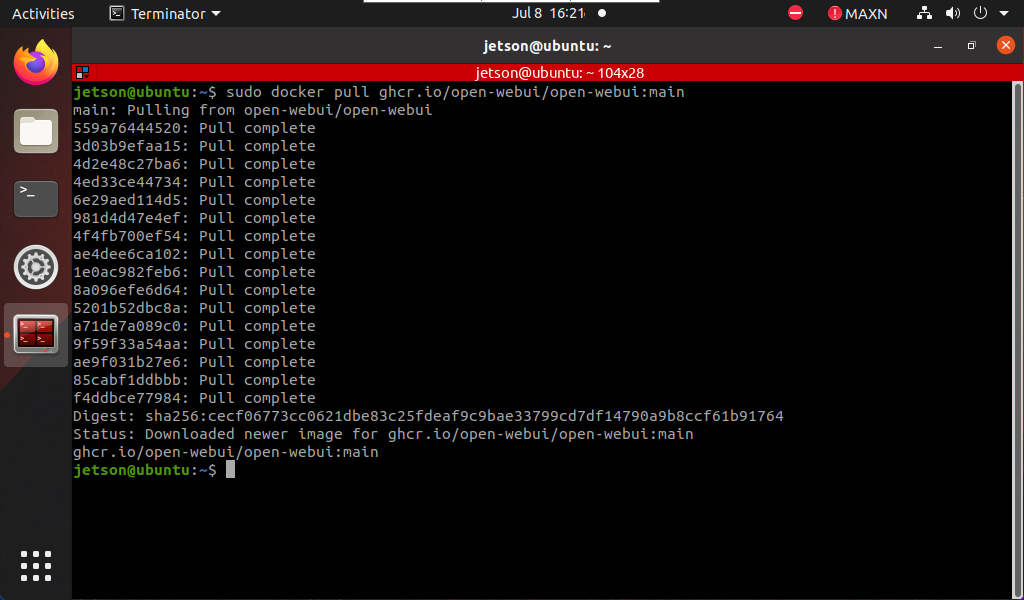
For systems with Docker installed, you can directly enter the following command in the terminal: The image is the result of the pull
xxxxxxxxxxsudo docker pull ghcr.io/open-webui/open-webui:main
Open WebUI operation
Enter the following command in the terminal to start the specified Docker:
xxxxxxxxxxsudo docker run --network=host -v open-webui:/app/backend/data -e OLLAMA_BASE_URL=http://127.0.0.1:11434 --name open-webui --restart always ghcr.io/open-webui/open-webui:main
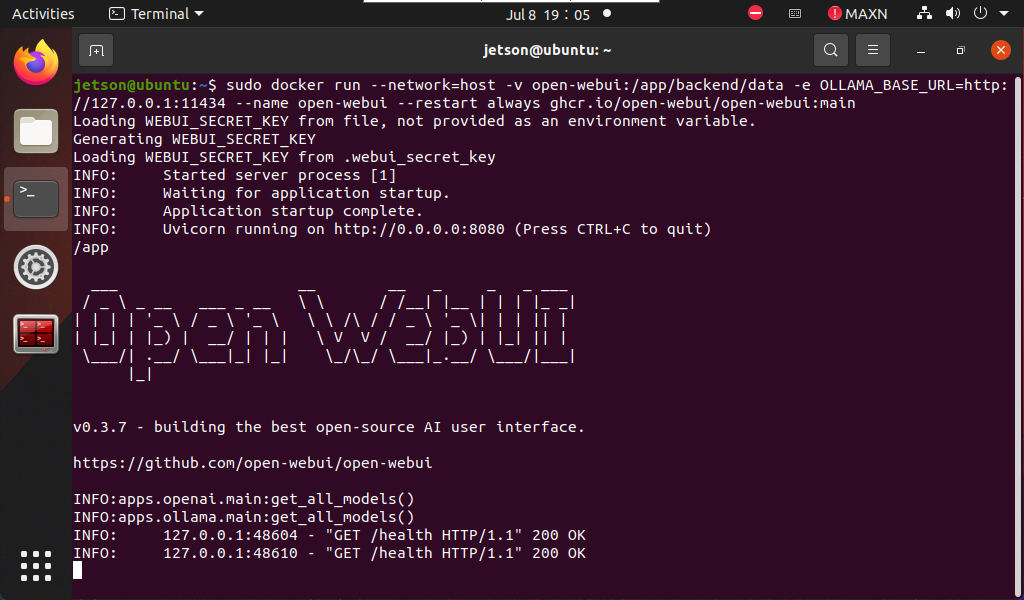
After successful startup, use the following URL to access in the browser:
xxxxxxxxxxhttp://localhost:8080/
Administrator account
For the first time, you need to register an account yourself. This account is an administrator account. You can fill in the information as required!
xxxxxxxxxxSince all the contents of our mirror have been set up and tested, users can log in directly using our registered account:Username: adminEmail: admin@qq.comPassword: admin
Register and log in
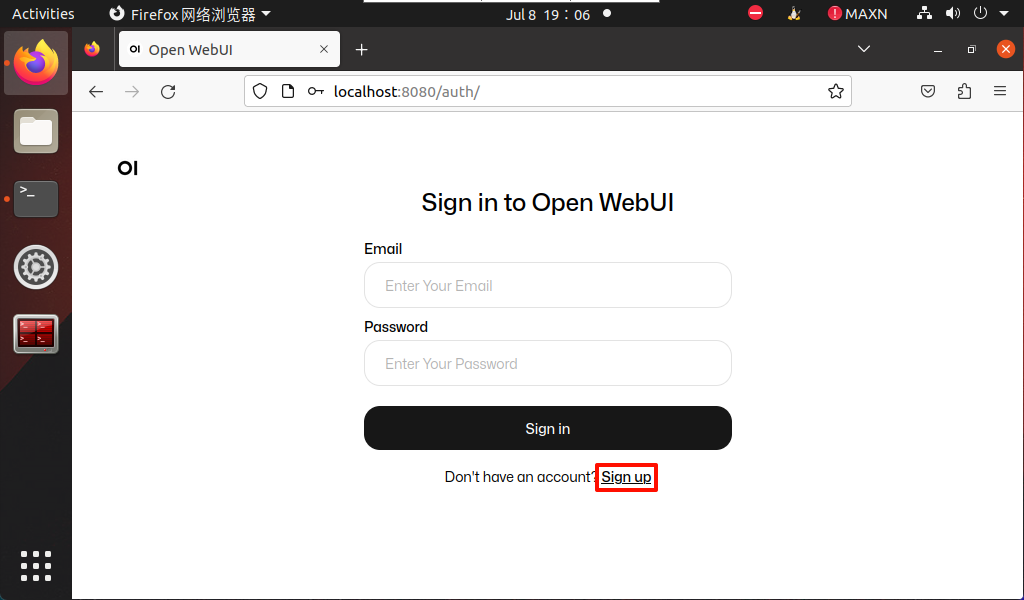
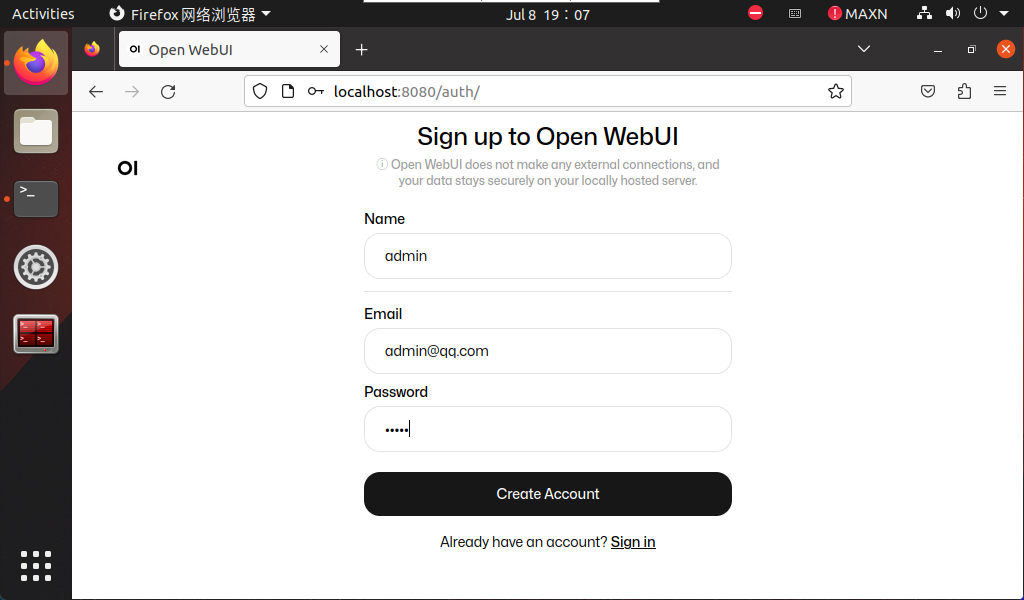
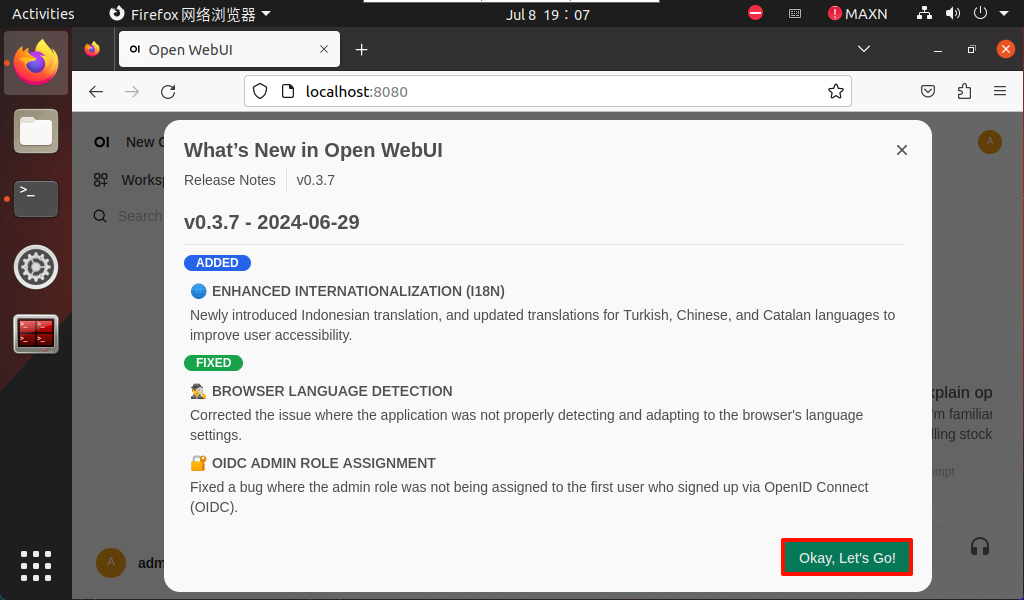
Since we have already registered: admin account, just log in directly!
User interface
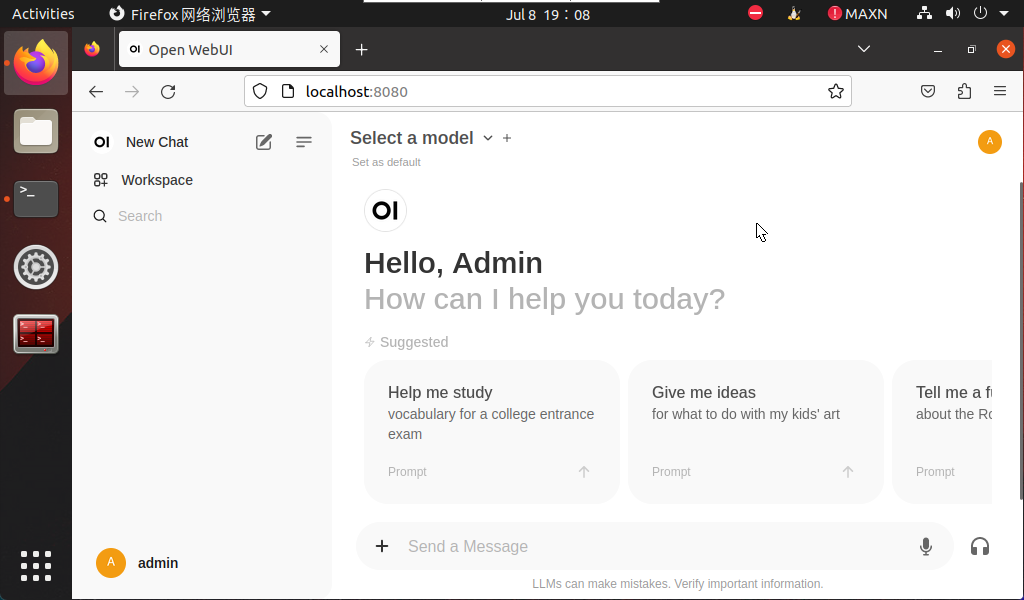
Model dialogue
Using Open WebUI for dialogue will be slower than using the Ollama tool directly, and may even cause timeout service connection failure. This is related to the memory of Jetson Nano and cannot be avoided!
xxxxxxxxxxUsers with ideas can switch to other Linux environments to build Ollama tools and Open WebUI tools for dialogue
Switch model
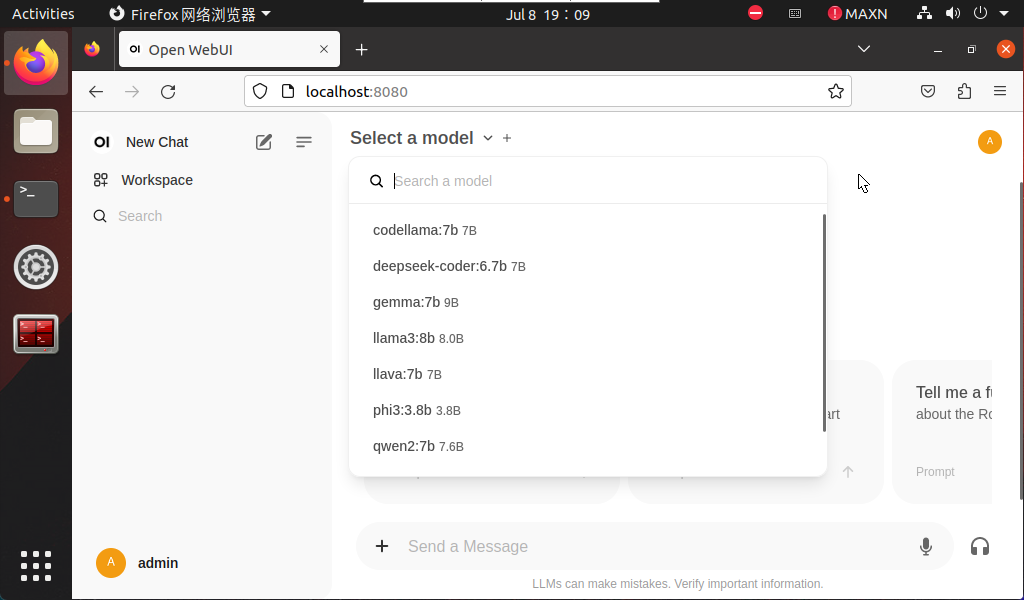
Click Select a model to select a specific model for dialogue.
xxxxxxxxxxThe model pulled using ollama will be automatically added to the Open WebUI model option. Refresh the webpage and the new model will appear!
Demo: LLaVA
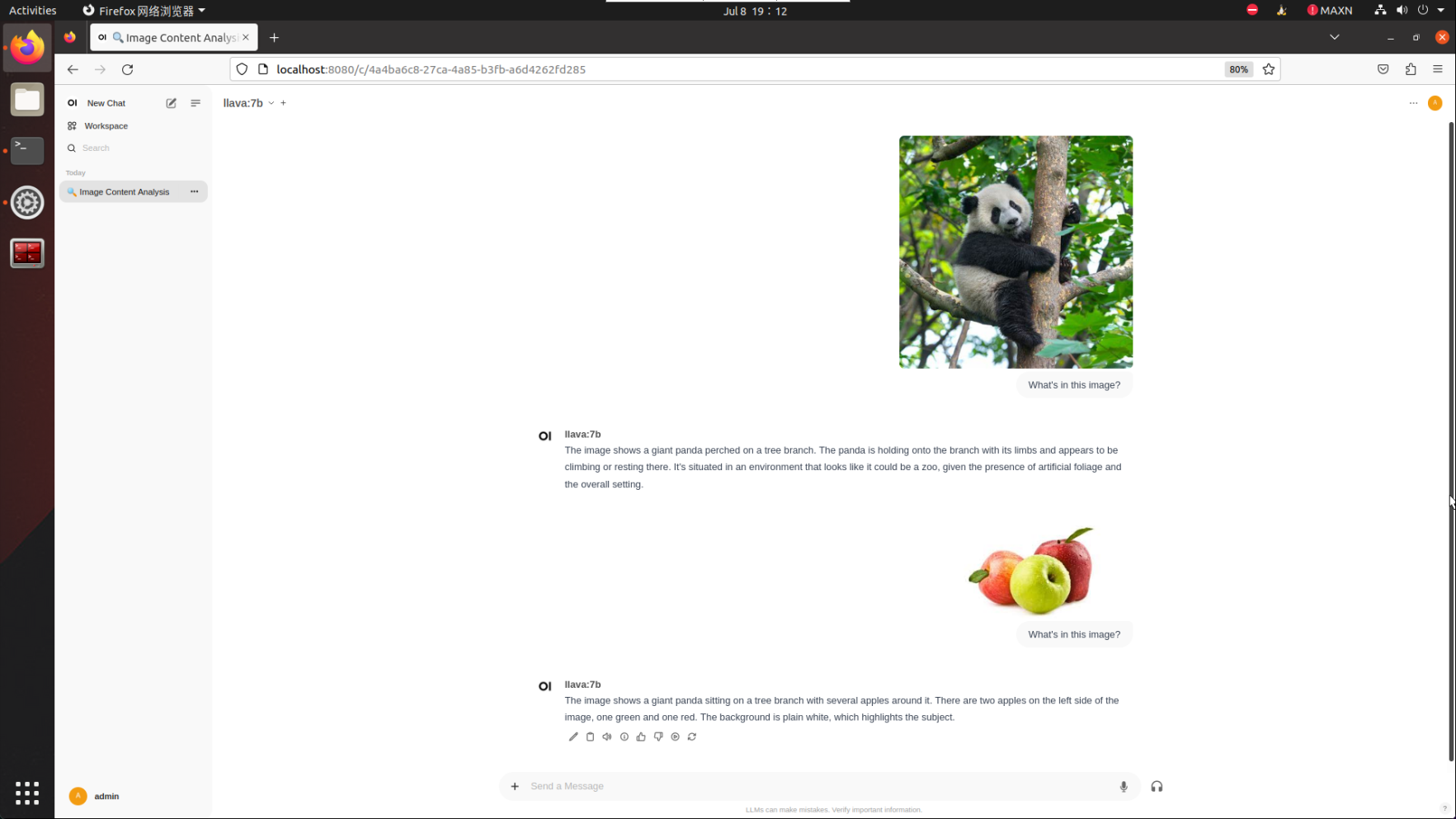
The LLaVA case demonstrated requires 8G or more to run. Users can use other cases to test the Open WebUI dialogue function!
xxxxxxxxxxWhat's in this image?
Frequently Asked Questions
Close Open WebUI
Close the self-starting Open WebUI.
- View running Docker
xxxxxxxxxxdocker ps
- Shut down running Docker
xxxxxxxxxxdocker stop [CONTAINER ID] # Example docker stop 5f42ee9cf784
- View stopped containers
xxxxxxxxxxdocker ps -a
- Clean up stopped containers
xxxxxxxxxxdocker rm [CONTAINER ID] # Example docker rm 5f42ee9cf784
Clean up all stopped containers:
xxxxxxxxxxdocker container prune
Common Errors
Unable to start Open WebUI
- docker: Error response from daemon: Conflict. The container name "/open-webui" is already in use by container "cfc05c84f8e38b290337e7178c76fd1c49076f94b11ed3d49d9448be72b7f20f". You have to remove (or rename) that container to be able to reuse that name.
Solution: Close Open WebUI once and restart!
Service connection timeout
- Open WebUI: Server Connection Error
Close Open WebUI once and restart, then ask again or run the model with the Ollama tool to ask!